

Allotment Results
Check IPO allotment results for the whole household
When results publish, households juggle MeroShare logins, CDSC’s public site, and scattered emails. Lagani Saathi keeps one ledger for saved Demats, an on-demand Check by BOID when you need a fresh CDSC look, and digest emails when Autopilot or MeroShare sync finds Alloted or Not Alloted.
In the app
Walkthrough screenshots
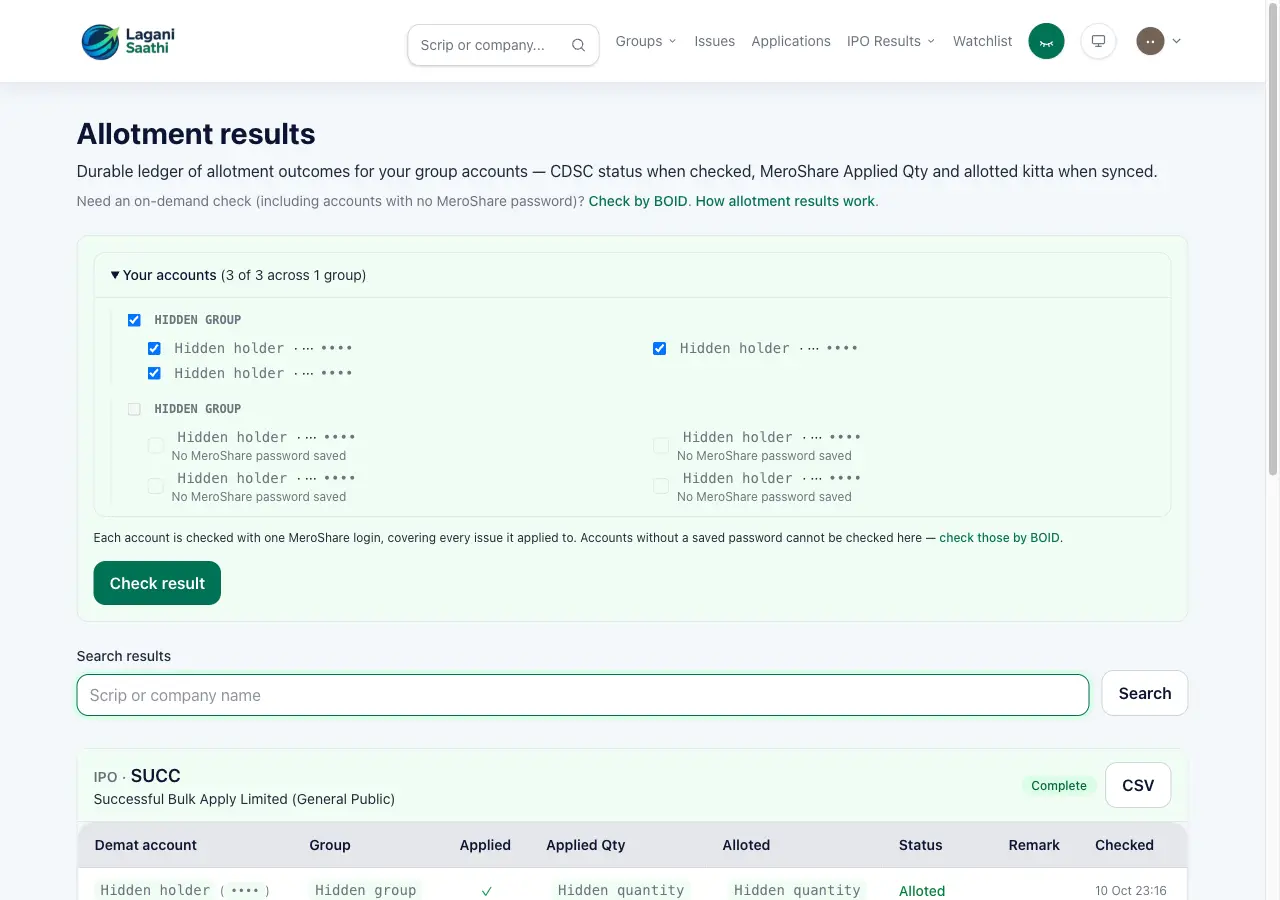
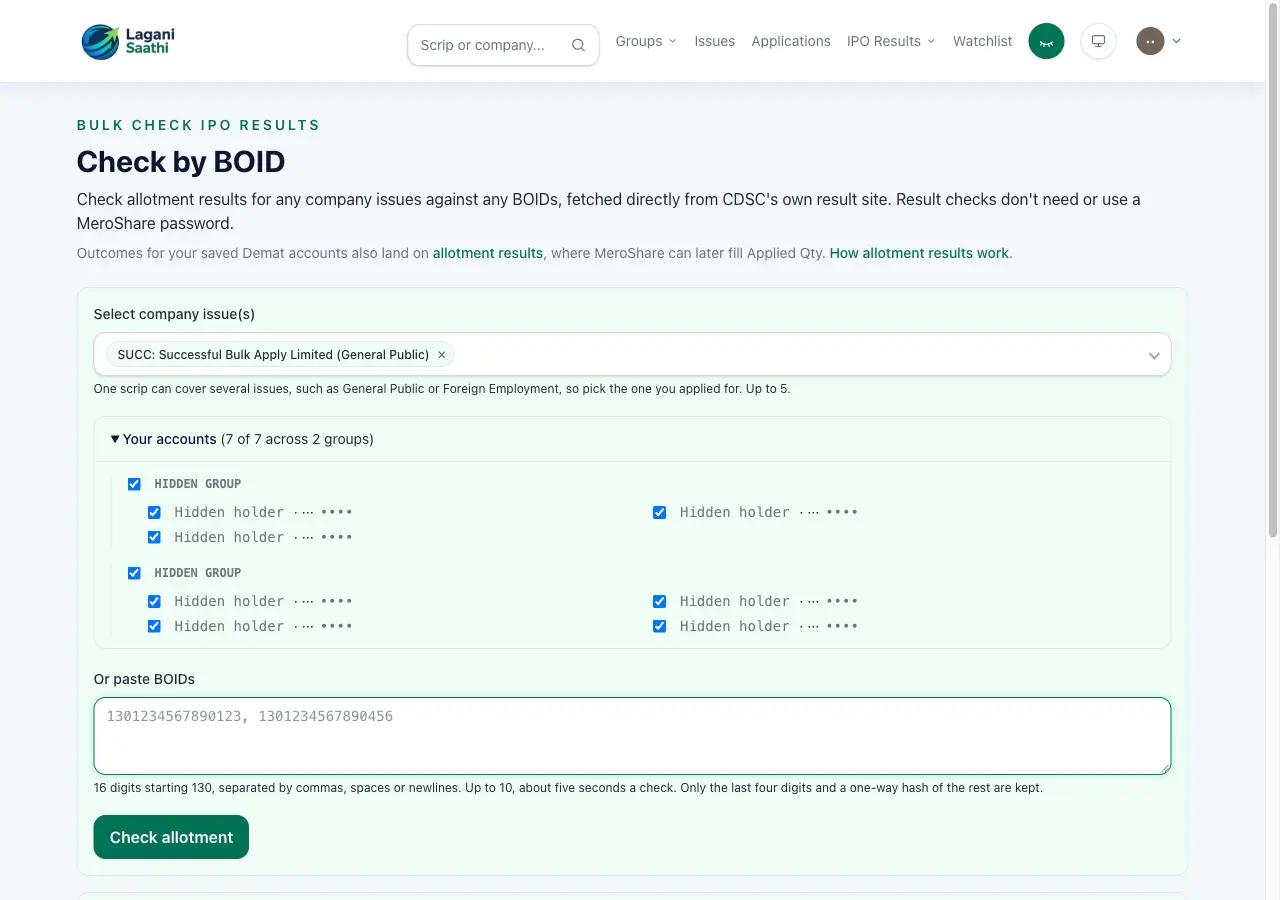
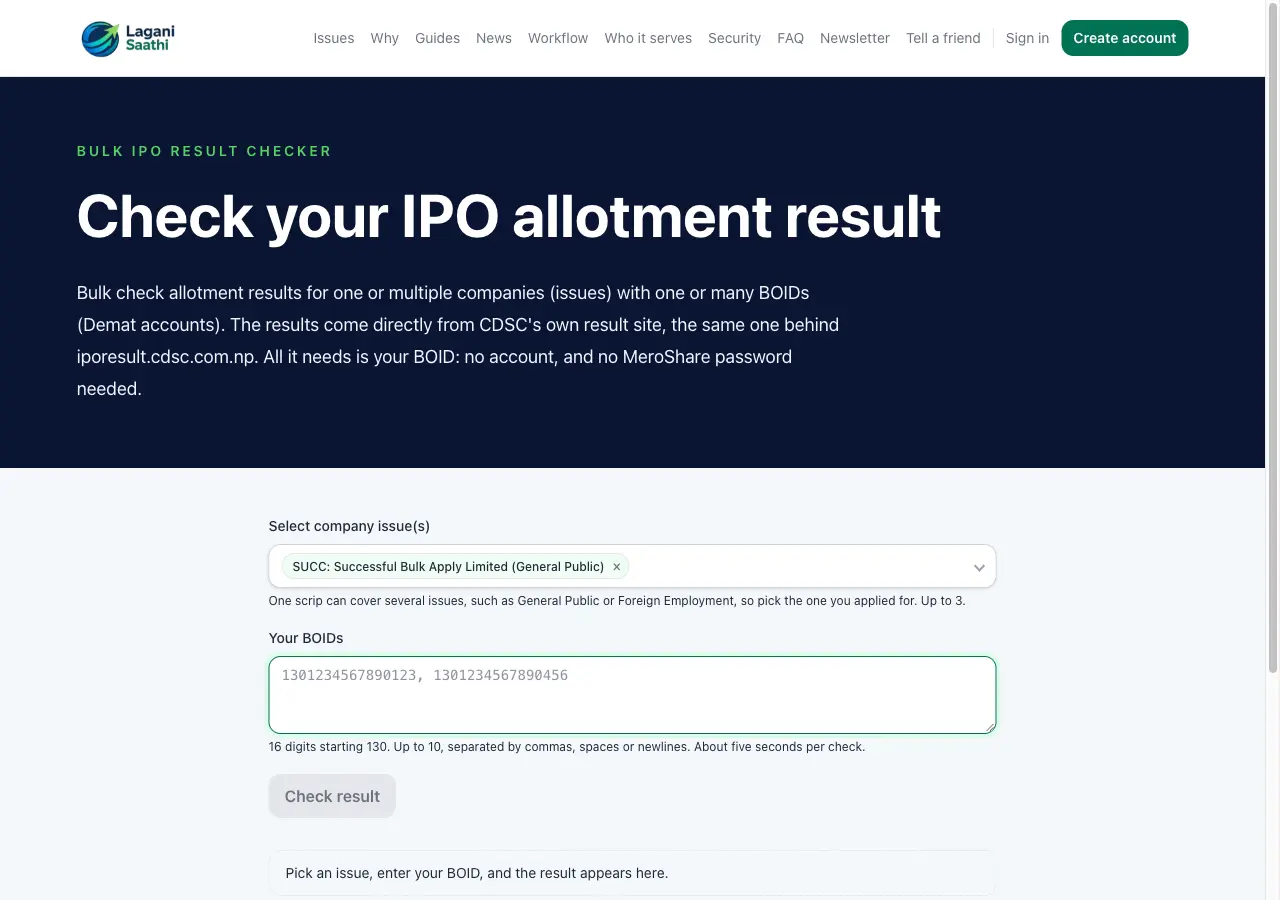
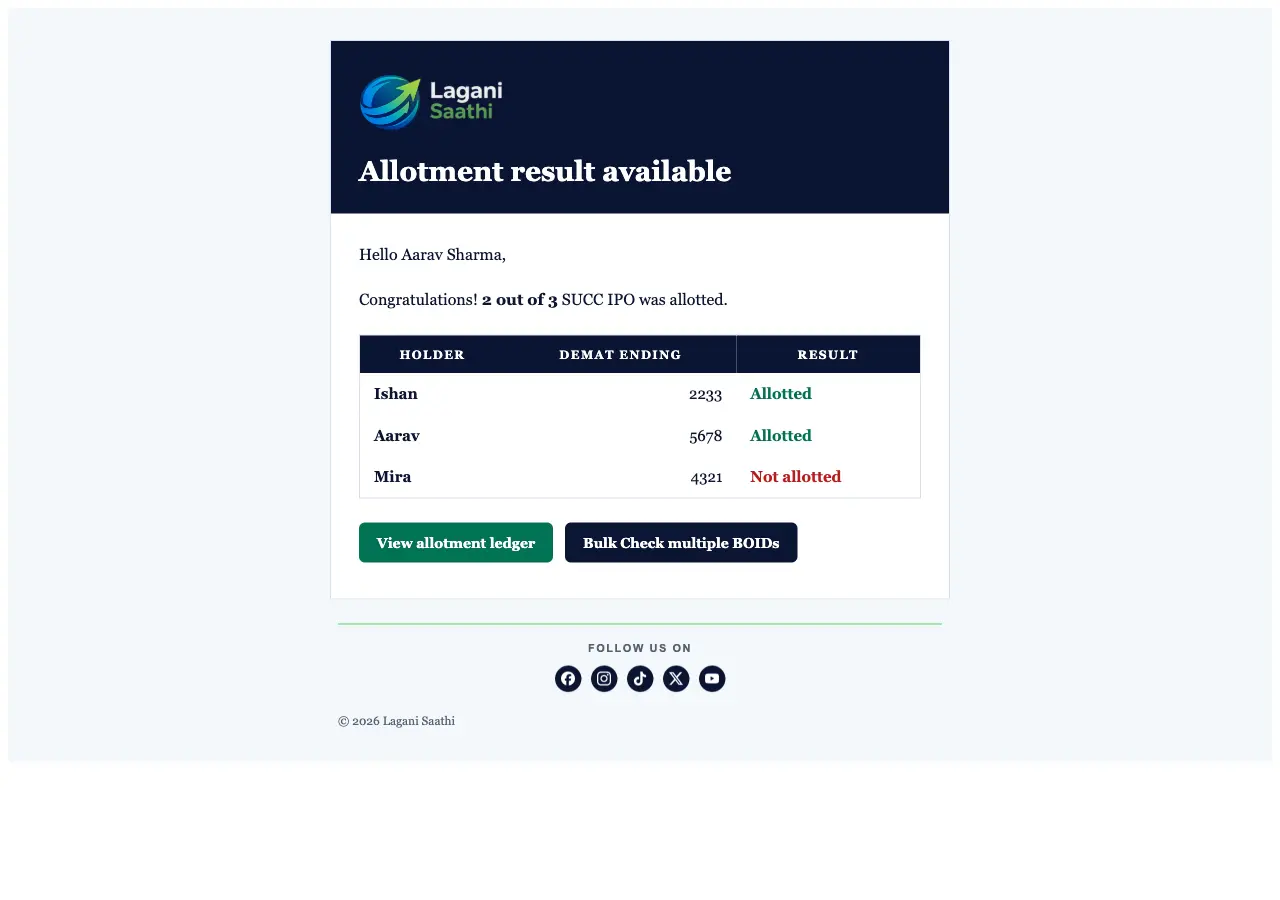
Captured from the seeded demo household with privacy mode on — holder and group names stay masked.
Allotment ledger
Allotment results under Results is the durable record: CDSC status when checked, plus MeroShare Applied Qty and allotted kitta when synced — searchable by scrip across your groups.
Check by BOID
Need an on-demand check, including accounts without a MeroShare password? Check by BOID asks CDSC’s public result site. Outcomes for saved Demats also land on the ledger.
Public bulk checker
Anyone can use Bulk Check IPO Results on the marketing site with pasted BOIDs — no sign-up. BOIDs are never stored; only a keyed fingerprint for cache.
Alloted / Not Alloted emails
When Autopilot Check Result or a MeroShare result sync finishes, you get a digest that lists each holder as Allotted or Not allotted, with links back to the ledger and Check by BOID.
Applied Qty ≠ allotted kitta
MeroShare reports both figures. Partial allotment refunds the difference. CDSC’s prose quantity is not shown beside MeroShare kitta.
Know when results land
Keep family Demats on one ledger, then check CDSC when you need to.
Add household Demat accounts, open Allotment results after publication, or use Check by BOID when an issue just went live on CDSC.
FAQ
Common questions
What is the difference between the ledger and Check by BOID? + -
The ledger is durable history for your groups. Check by BOID is an on-demand CDSC lookup. Finished checks for saved Demats project onto the ledger; pasted unknown BOIDs do not.
Do I need a MeroShare password? + -
Not for Check by BOID or the public checker. A password (encrypted) is needed to sync Applied Qty and allotted kitta from MeroShare onto the ledger.
When do allotment emails send? + -
After Autopilot Check Result finishes for a group, or after a MeroShare allotment sync finds terminal Alloted/Not Alloted rows. Interactive Check by BOID does not re-send the Autopilot digest.
Is allotted quantity the same as applied quantity? + -
No. You apply for a quantity; allotment may be less (or zero). The ledger shows both when MeroShare reports them.
Related guides
Keep exploring the Nepal share workflow.
These public pages explain the connected parts of the Lagani Saathi workflow without exposing private app data.