

Family IPO Workflow
Apply IPOs across multiple Demat accounts without repeating every step
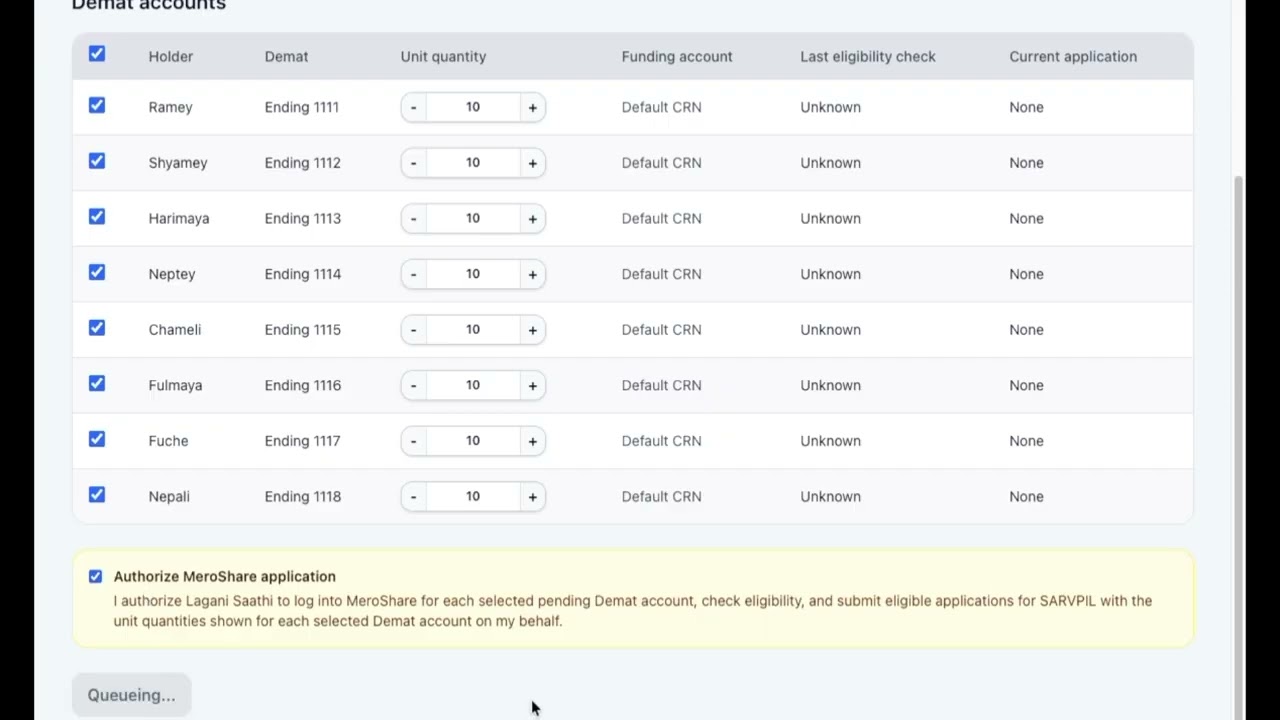
Many Nepalese households manage Demat accounts for parents, spouse, children, and relatives. Lagani Saathi helps organize that workflow so applications happen only after you choose accounts and confirm the MeroShare action.
Video walkthrough
See it in action
Watch how Lagani Saathi helps you apply to IPOs across multiple family Demat accounts in minutes.
Track the issue first
Start from open and upcoming IPO, FPO, and right-share windows so you know what can be prepared before the deadline.
Organize family Demat accounts
Keep household or trusted accounts grouped together instead of managing each application from scattered notes and repeated manual entry.
Confirm before submission
Lagani Saathi keeps MeroShare automation behind explicit confirmation, then records submitted, failed, retryable, and ineligible outcomes.
Stay ready
Get issue alerts or share this guide.
Subscribe for IPO and right-share alerts, or send Lagani Saathi to someone who manages family Demat accounts.
FAQ
Common questions
Can I apply for every family Demat account at once? + -
You can select multiple accounts for an eligible issue, but live MeroShare submission still requires explicit confirmation before work is queued.
Do I need to store MeroShare details for each account? + -
Accounts need the details required for authorized MeroShare workflows. Sensitive values such as passwords, CRN numbers, transaction PINs, and full Demat numbers are stored encrypted.
Can I import family Demat accounts instead of typing them one by one? + -
Yes. Lagani Saathi supports CSV and XLSX imports using the provided sample template.
Related guides
Keep exploring the Nepal share workflow.
These public pages explain the connected parts of the Lagani Saathi workflow without exposing private app data.